 Zylcut
Your agent's own interface
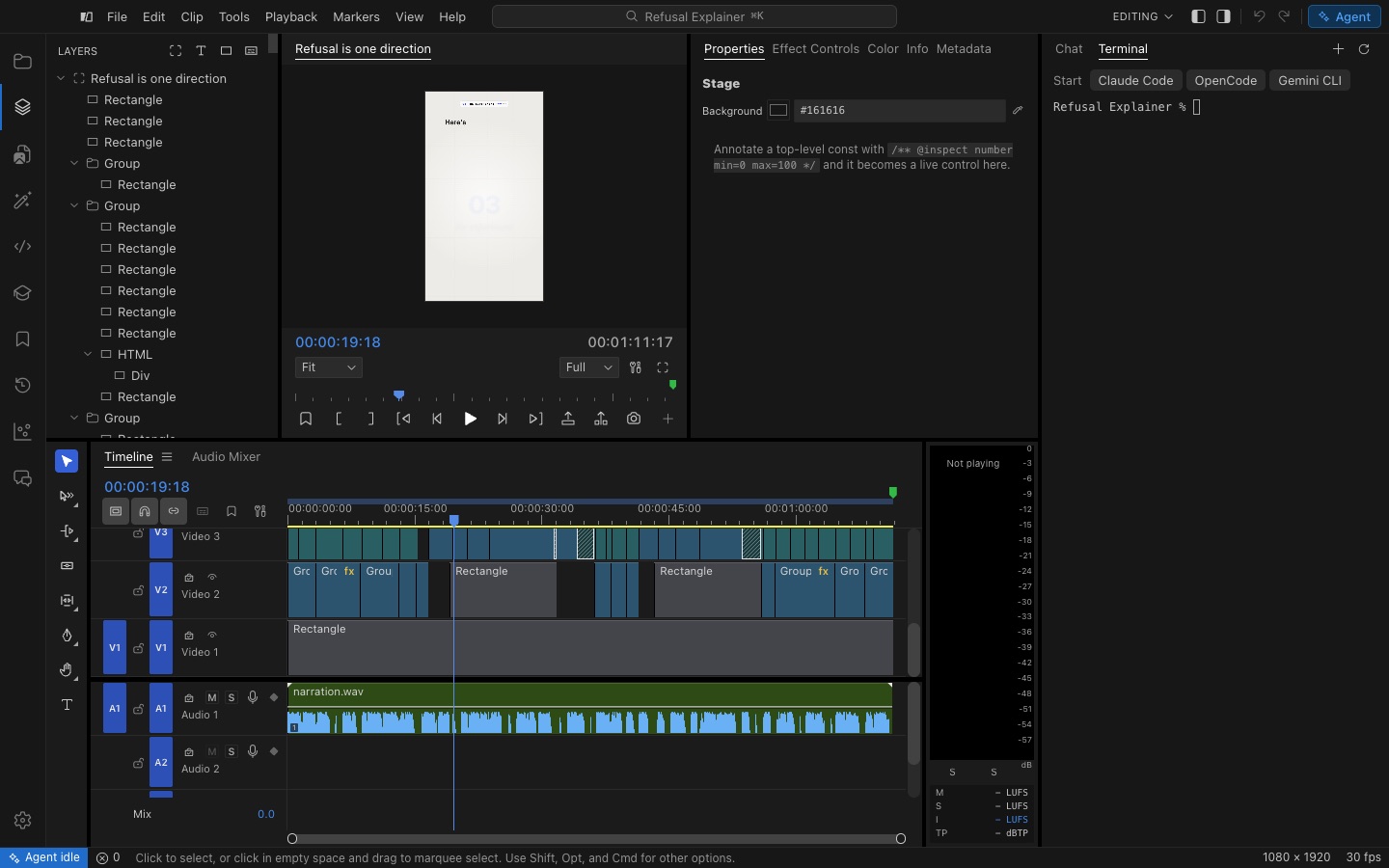
If you would rather use Claude Code or OpenCode in their own interface, open the Agent dock’s Terminal tab. It is your own shell, already in the project’s folder. Choose an agent under Start and Zylcut connects its tools to that agent, if they are not connected yet, then starts it there.
Connecting is done once for every project: the agent works on the project whose folder it starts in. Each project folder also has an AGENTS.md (and a CLAUDE.md that points to it) telling any agent it is in a Zylcut project and how to work on it. Notes you add below its marker line are kept.
No agent yet?
Section titled “No agent yet?”The chat and the Terminal offer OpenCode, which is free to start. Install OpenCode runs its official installer in the terminal, and its Start button appears when the install finishes. The + in the Terminal’s tab row installs the others.
To use an agent outside Zylcut, in its own app, see Connect your agent.