 Zylcut
Why word timings make better silence cuts
Simple silence removers cut wherever the volume drops below a threshold. That clips quiet words, chops breaths in half and leaves you fixing cuts one by one. Zylcut first transcribes the recording with a start and end time for every word, and reads the waveform too. The cuts land in the gaps between words, so no word is ever cut in half, and a soft-spoken sentence is not mistaken for silence.
How to remove silence with Zylcut
- Download Zylcut for macOS, Windows or Linux. It is free, with no watermark.
- Create a project and drop in your recording.
- Ask for the cut in the Agent panel or in your coding agent, for example: "Remove pauses longer than half a second from talk.mp4, and cut the false starts."
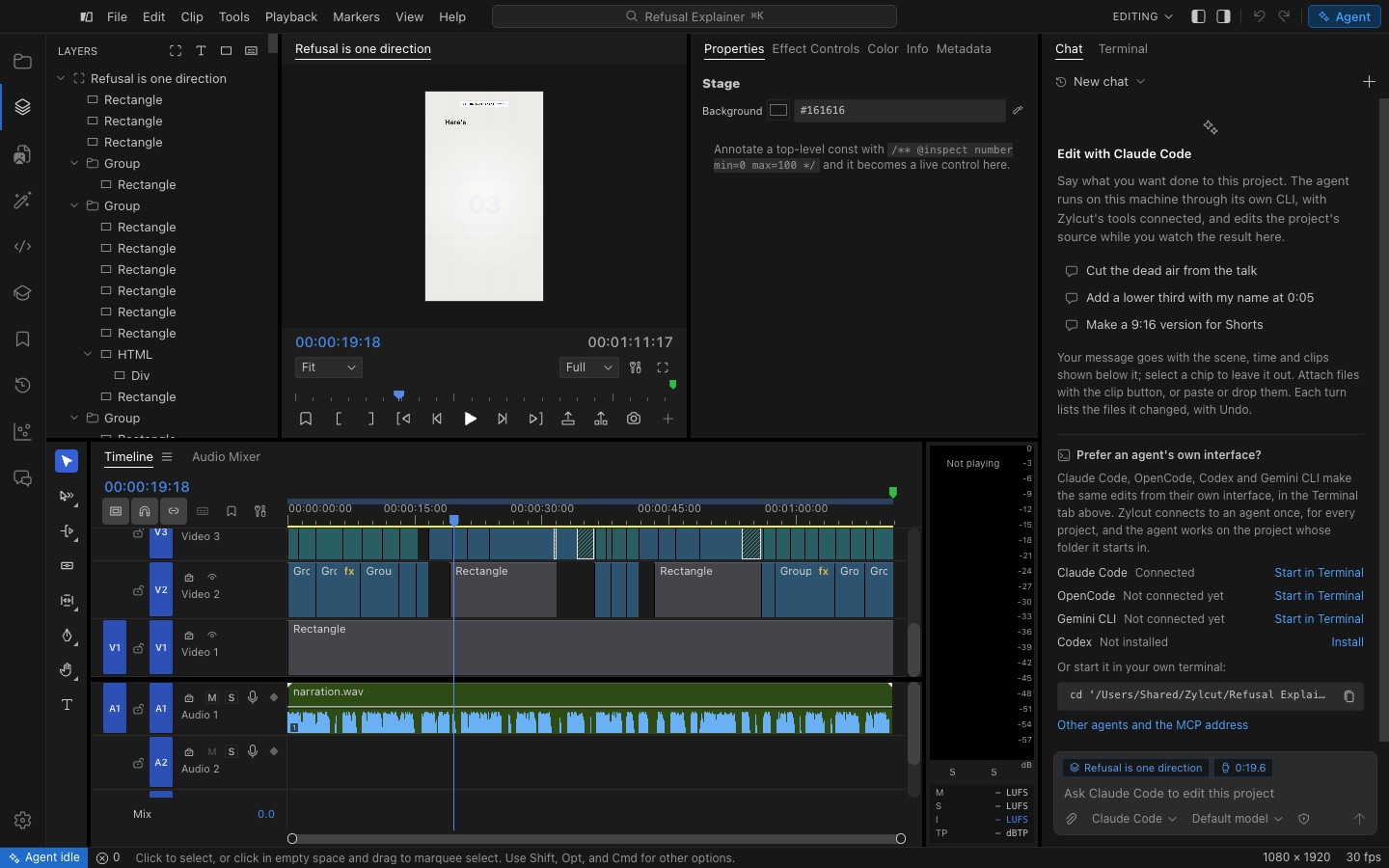
- Review it on the timeline. Each removed pause is a cut you can see. Drag any edit to loosen or tighten it, or undo it.
- Export to MP4 or straight to YouTube, or add captions first.
More than silence
- Filler words and retakes. Ask the agent to drop "um" and "uh", false starts and repeated takes.
- Natural pacing. Keep a short breath between sentences, or make a tight cut for short-form video.
- Music that still lands. The agent can detect beats in your music so cuts do not break the rhythm.
- Clean audio. One step removes background noise and levels your voice for YouTube and podcasts.
Good for
Talking-head videos, tutorials and screen recordings, podcasts and interviews, course lessons, product demos, and short clips for YouTube Shorts, Instagram Reels and TikTok.
Want the agent to do more of the edit? See everything it can do in Zylcut.
Questions
How do I remove silence from a video for free?
Install Zylcut (free, no watermark), import the video, and ask your coding agent to remove the pauses, or tell Zylcut's Agent panel. It transcribes the video on your computer, finds every pause and cuts between words. You review the result on the timeline and export.
Will it cut off the start or end of words?
It should not. Every word has a measured start and end time, so cuts land in the gaps between words, and captions use the same small padding so they stay in sync. You can still adjust any cut by hand on the timeline.
Can it remove filler words and retakes too?
Yes. Because the agent works from a word-by-word transcript, you can ask it to drop filler words, false starts and repeated takes, and keep only the best take of each line.
How long a pause counts as silence?
Whatever you ask for. A common choice is to cut pauses longer than about half a second and leave a short breath between sentences, so the speech still sounds natural.
Is my video uploaded?
No. Transcription and silence detection run on your computer, and the cut is exported on your computer too.
Which languages does it work with?
English uses a local model with precise word timings. 99 other languages use a local Whisper model with estimated word times, which suit sentence-level cuts; check single-word cuts on the waveform.